Free ATS-friendly resume templates — download in Word
Three free ATS resume templates in the single-column format applicant tracking systems read cleanly. Download the .docx, replace the example text, then check your ATS score before you apply.
Download a free templateWord (.docx) · opens in Google Docs · no sign-up to download
Pick an ATS resume template
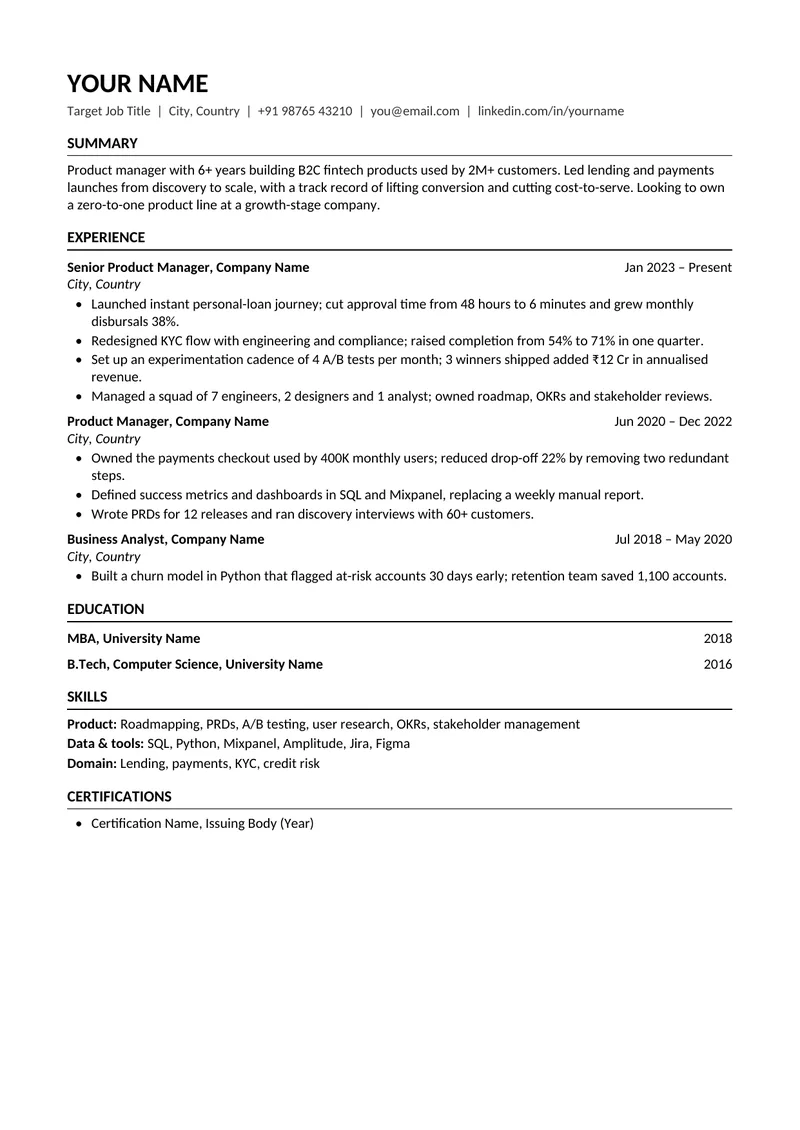
Experienced professional
3+ years of experience, any function
Reverse-chronological. Summary, then experience with dated roles and quantified bullets, then education, skills and certifications.
Download .docx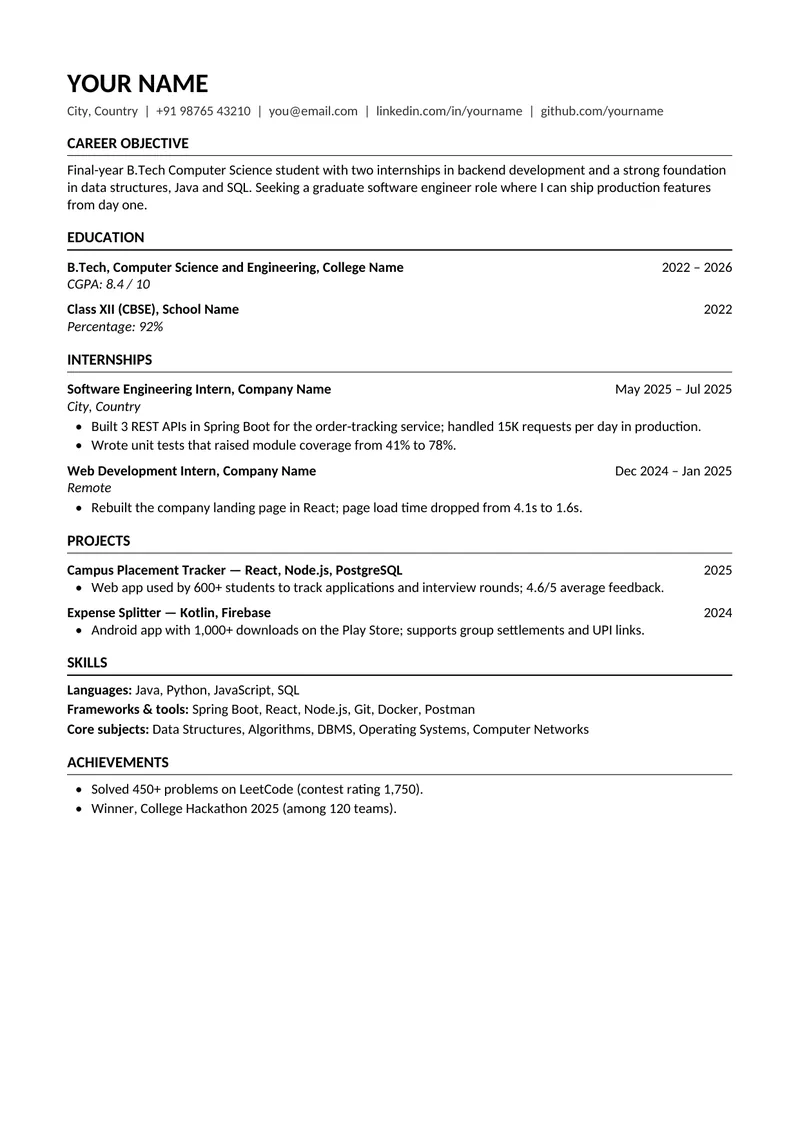
Fresher / entry-level
Students and graduates with under 2 years' experience
Education first, then internships, projects, skills and achievements — the order a recruiter reads a fresher resume in.
Download .docx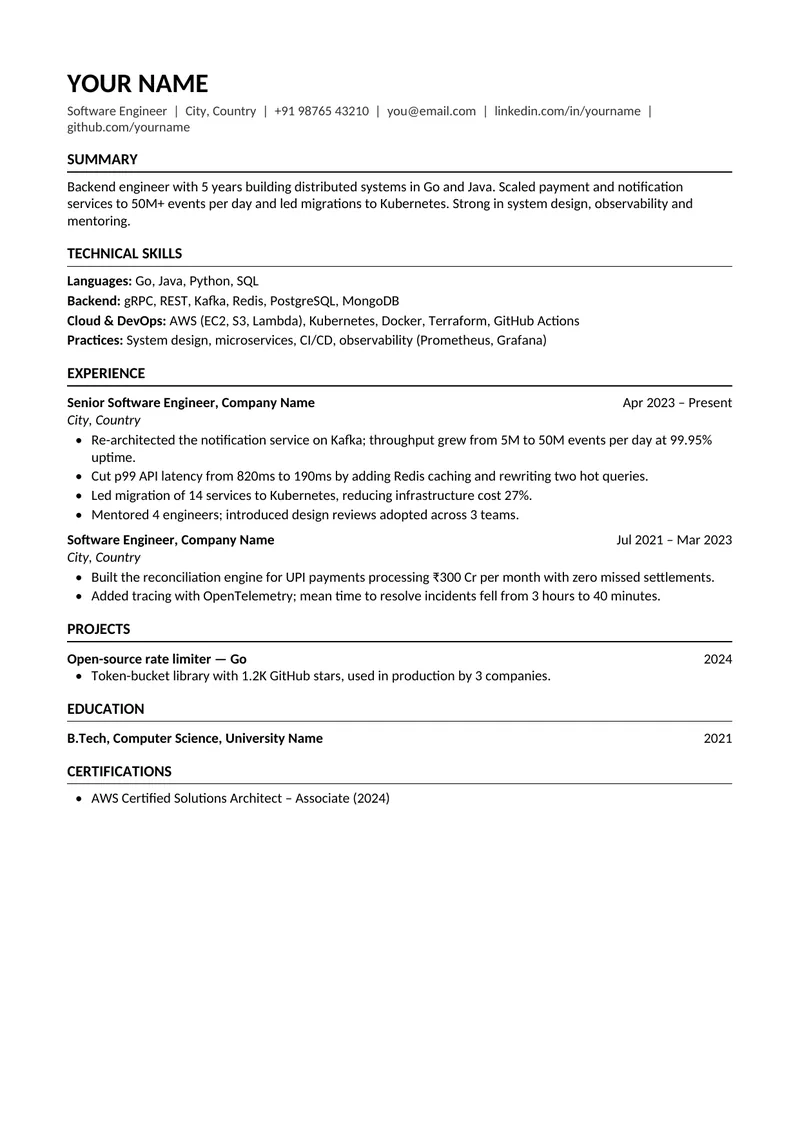
Software engineer
Developers, data and DevOps roles
A technical skills block near the top so stack keywords are read early, then experience, projects, education and certifications.
Download .docx
What makes these resume templates ATS-friendly
How to use an ATS resume template
- 01
Download the .docx
Pick the template closest to your stage. It opens in Microsoft Word, Google Docs (File → Open → Upload) or LibreOffice.
- 02
Replace the example content
Keep the section headings and layout; swap in your own roles, dates and results. Delete sections you don't need rather than leaving them empty.
- 03
Check your ATS score
Save as PDF or DOCX and run it through the free ATS resume checker with the job description you're targeting. It flags missing keywords and anything the edit broke.
ATS resume format: the rules these templates follow
An ATS-friendly resume format is less about looking plain and more about being predictable. The software extracts your text, splits it into sections by heading, and matches it against the job. Anything that makes those three steps guesswork costs you. For the full explanation, see what an ATS is and how it reads your resume.
| Do | Avoid |
|---|---|
| Single-column layout | Two-column templates, sidebars, text boxes |
| Standard headings (Experience, Education, Skills) | Creative headings ("Where I've Been") |
| Text-based PDF or .docx | Scanned or image-only PDFs, Canva exports flattened to images |
| Arial, Calibri, Garamond, Georgia at 10–12 pt | Decorative fonts, icons, skill bars, photos |
| Contact details in the page body | Contact details only in the header or footer |
| One date format, e.g. "Jan 2023 – Mar 2025" | Mixed formats ("2023", "03/25", "Spring 2024") |
| Keywords from the job description inside real bullets | Keyword lists pasted in white text |
Which ATS resume template should you use?
Experienced professional suits most people with three or more years of work: recruiters want your latest role first, so experience leads. Fresher flips that order — with little work history, your degree, internships and projects are the evidence, so they come first. Software engineer keeps experience-first order but moves a grouped technical skills block near the top, because engineering postings are keyword-dense and the stack is often the first filter.
Need a CV rather than a resume? Outside the US the two words usually mean the same document, and an ATS doesn't read the label. Any of these works as an ATS CV template. For an academic CV with publications, the AI resume builder has a dedicated two-page layout.
Why most free resume templates fail ATS
The templates that look best in a gallery — two columns, a photo, icons beside each phone number, skill bars — are the ones parsers struggle with most. A two-column layout can be read straight across, so a job title ends up next to a skill from the sidebar. Icons and skill bars carry no text at all. Designs exported as images have no text to extract. None of this means a two-column resume is always rejected, but it adds risk you don't need to take.
If you already have a resume in a designed template, don't guess — run it through the ATS resume checker. It flags multi-column layouts, tables, repeated headers and non-standard fonts specifically, and gives you an ATS score in about 20 seconds.
A template gets you parsed. Keywords get you shortlisted.
A clean template only guarantees the ATS can read your resume. Whether it ranks depends on how well your content matches the posting — the skills, tools and responsibilities the employer listed. Read which ATS resume keywords actually matter, then paste the job description into the checker to see exactly which terms you're missing.
Rather not fill in a template?
The nxtleap AI resume builder builds an ATS-friendly resume from your own accomplishments instead: pick a layout (each is labelled with how safely it parses), and it assembles single-column, keyword-matched resumes you can tailor to each job with resume tailoring.
Common questions about ATS resume templates
What is an ATS-friendly resume template?
It's a resume layout an Applicant Tracking System can read correctly: one column, standard section headings, real text rather than images or tables, common fonts, and contact details in the body of the page rather than the header. The templates on this page follow all of those rules.
Are these ATS resume templates really free?
Yes. Download any of the three .docx files without an account, edit them however you like, and use them for as many applications as you want.
Can I use these templates in Google Docs?
Yes. In Google Docs choose File → Open → Upload and select the .docx. Keep the fonts and headings as they are, and download as PDF or .docx when you're done.
Is a PDF or Word resume better for ATS?
Both parse well as long as the PDF is text-based (you can select the text in it). Use whichever format the application asks for; if it accepts either, a PDF keeps your layout fixed across devices. Avoid scanned PDFs and image exports.
Does an ATS-friendly resume have to be black and white?
No. Colour doesn't affect parsing — a coloured heading or rule is fine. What breaks parsing is structure: columns, tables, text boxes, icons and text in headers or footers.
Can I use a two-column resume template?
You can, but it's a risk. Some ATS parsers read across both columns line by line and interleave the text. If you use one, check it with the ATS resume checker first; a single-column template avoids the problem entirely.
Will these templates work on Naukri, LinkedIn and company career portals?
Yes. Naukri, LinkedIn Easy Apply, and ATS platforms such as Workday, Greenhouse, Lever and iCIMS all start by extracting plain text from your file, and these layouts are built for exactly that step.
What paper size are the templates?
A4, the standard in India, the UK, Europe and most of Asia. For US applications switch to Letter in Word (Layout → Size → Letter) or Google Docs (File → Page setup); the layout reflows without breaking.
Template done? Check it before you apply.
Upload your finished resume to the free ATS resume checker and see your ATS score and keyword gaps in about 20 seconds.
Check my ATS scoreFree · No account needed to run a check